Basic information about GLPI
GLPI is an ITSM software tool that helps you plan and manage IT changes in an easy way, solve problems efficiently when they emerge and allow you to gain legitimate control over your company’s IT budget and expenses.
Many companies use GLPI to manage their clients and tickets.
When GLPI is properly configured, files and folders such as
glpi/files/_log/event.log and files/_dumps are not accessible.
The event.log file allows user enumeration since it logs authentication activities.
Another positive point is that users with customer roles should not see the activities of other customers and users, unless the action is involved in their tickets.
Dashboard Plugin
For this reason, the Dashboard plugin created by stdonato is a good way to bypass this protection.
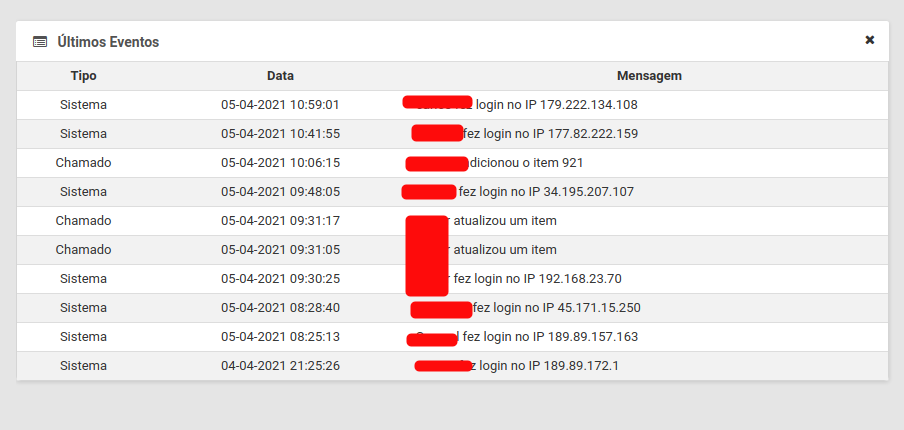
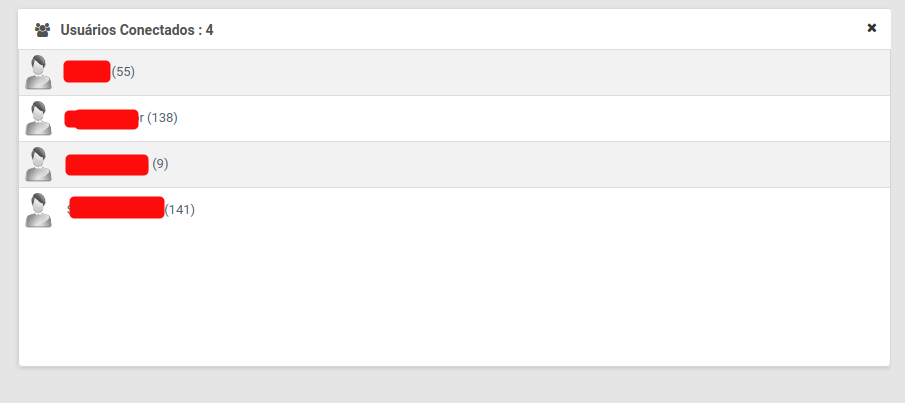
The plugin has some protections, such as checking read permissions to protect some data, but the main2.php file does not check this permission and allows us to see “sensitive” information such as:
- Who is connected.
- Users with tech roles (usually high-privileged accounts).
- Other clients’ authentication events.
- Last tickets from other clients.
- How many clients the application has.
All you need to access this file is a low-privileged profile.
You can directly hit:
https://target.com/glpi/plugins/dashboard/front/main2.php
How does it happen?
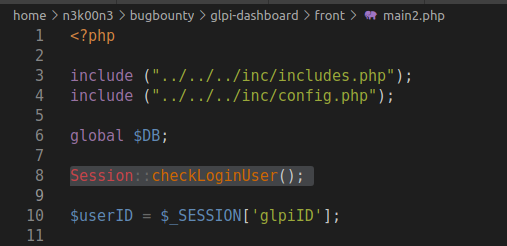
The reason for this flaw is really simple: the file checks if the user is authenticated, but doesn’t check the user’s permissions.
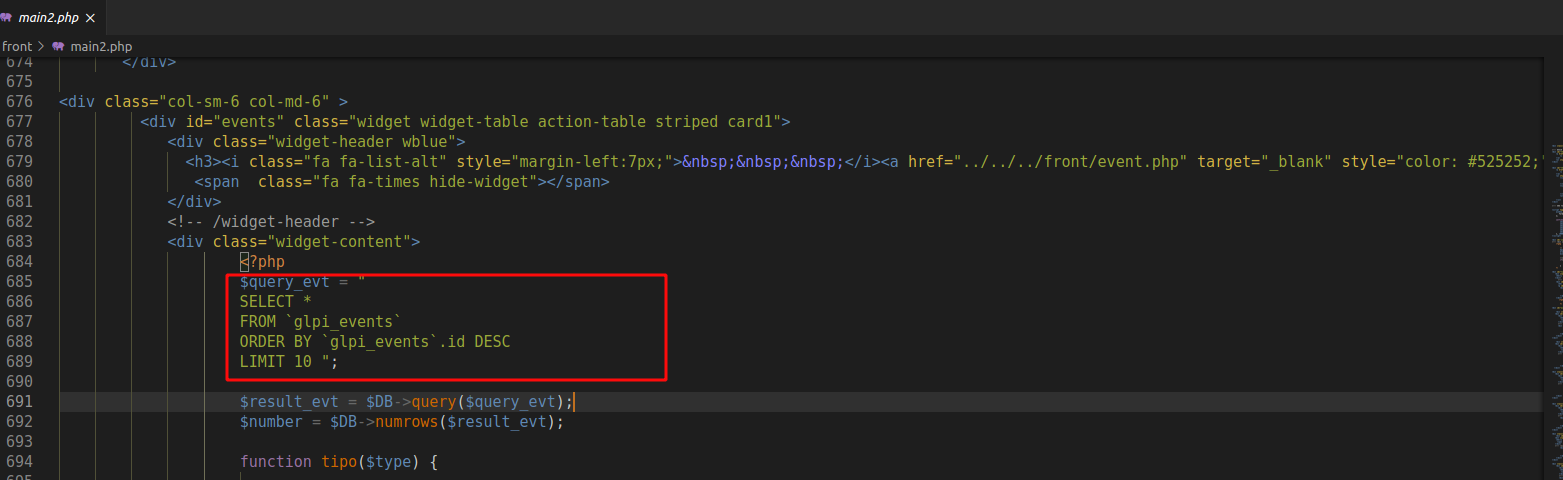
We can also see how the plugin brings the information at line 685: